Posts Tagged “website reviews”

I used to do website critiques fairly regularly, and fantastic web designer Kathleen MacIver gave wonderful in-depth critiques to our participants. We’ve fallen out of touch (but Kathleen, if you’re reading this, I’d love to change that!), but a lot of her wisdom from previous critiques is just as applicable to our victims volunteers from this round!

On defining your site through blog goals:

Is [your blog] primarily for you, as a method of self-expression? If so, then who cares what it looks like!

The fact that you asked for this review, however, makes me think that you ARE hoping this blog achieves something. It doesn’t appear that you’re trying to promote your own writing, since a skim down through the posts showed me nothing along those lines. Are you trying to build a small community? Just meet people online? Right now this blog is a pretty clear reflection of you, as a person, and your love of words. It’s not a reflection of your stories or books or poems, or of a particular genre. Do you want it to be?

I’m not really sure what to suggest, since I don’t know what that goal is. But think about it. This is where every website should start . . . with a careful assessment of what the goal of the website (or blog) is, what you hope it will achieve, and who you hope to reach with it. Everything else needs to follow that.

On matching your design to your theme, and the purpose of design:

A website made from a basic, generic template (99% of the time) is like finding a hardcover book that’s missing its dust jacket (the old kind that had nothing more than a solid color and gold lettering on the edge). There’s nothing to turn you off to the book/site, but you really had to have a compelling reason from somewhere else in the universe to open up that book and start reading, because the book cover itself is offering you nothing.

You do have that little paragraph that explains a little. Now you need to find a design that is the visual interpretation of your concept. . . .

Basic layouts for blogs are often best, since people are there to read content (once they know they’re interested, of course).

So all-in-all . . . you don’t have anything wrong here, but you haven’t really taken any steps toward the two main goals of a website’s design, which are:

  1. Instantly portray what your website is about, and what the visitor will receive if they hang around. (In your case, interesting information that they’re not likely to find anywhere else on the Internet, since the number of brain scientists blogging about writing has got to be extremely small)
  2. Make the site stick in their mind, thereby upping their chances of wanting to come back, coming back, and remembering why they bookmarked it when they do come back.

And this one is actually from me, on the purpose of a website:

Also, make your website somewhere that people will want to come back to—do something for them, reach out to them (see building a community), be accessible. Even if they’ve already bought your book, they’re still your customers, your readers, your fans, and striving to build a relationship with them (individually and collectively) can help sustain you, both emotionally and financially. . . .

Always remember: your website will be the major way you’ll interact with most of your readers and potential business associates. Use it wisely!

free website guideI’d forgotten how much good advice has already passed through here, and I know many readers weren’t here two years ago when we were doing these. Luckily, I’ve already collected the generally-applicable advice from several of the critiques and put them together into a handy, free PDF: a Guide to Aspiring Author Websites!

What do you think? What did you take away from these critiques that will help with your site?

Photo credits: heart in a book—Piotr Bizior; book without cover—Marcos Ojeda

Do you find this post helpful or inspiring?
Heck yes I do! 

Comments 3 Comments »

The last of our site critiques is for Ronda Gibb Hinrichsen, author of Missing and Trapped. Hi, Ronda!

Content and navigation
The site layout is simple and easy-to-use. There’s a hint of mystery in the mist around the trees, which relates back to your theme.

Your bio is informative, but it could also be fun! If people are coming to your site, they want to know more about you, so you can write a heck of a lot more than you might on a bio in a book. The trivia in the sidebar is a good start, as is the FAQ (though questions about the individual books could be on the book pages). You could also mention your family.

I think I’ve made it clear how I feel about contact info buried at the bottom of the about page! On the other hand, I don’t mind putting your awards on the About page, and I think it’s fantastic that you’re using a link and anchor to jump down to them.

You have separate pages for each of your books. This is okay right now, but as you write more books, will your website be able to grow with that? I’d suggest keeping pages for your individual books to 1-2: One page for all your books, with possible the second page for your most recent release. I’m assuming GoDaddy gives you five pages for your site, so this would free up a separate page for your Events, which might be more useful than the FAQ, for example.

I like that you have the covers of your books prominently displayed on the home page and each of their pages—along with purchase links! Always a good idea!

However, each tab on your navigation opens in a separate page. After reading the home page, I clicked on the about page, etc. After reading through each page of your site, I realized it had opened each page in a separate tab:

I’m hoping there’s a check box or something you can check somewhere to change this setting. Otherwise, you’ll want to take target=”_blank” out of each link on each page.

I love the background color on your site, but light text on a dark background is harder for people to read. Maybe you could find a way to add a lighter background behind the content area of your pages and switch to darker text (maybe even matching your background!).

Search engine presence:
I have some great news for you: I misspelled your name when I Googled you, and Google corrected me:


Google knows you!

And you totally dominate Google for your name. The first three results are your site, and it also lists your Facebook, blog, Twitter, your book on Amazon as well as some reviews.

I was very confused to see your site listed twice in the results, until I realized one was RondaHinrichsen.com and the other is RondaGibbHinrichsen.com. I worry that this might be confusing for readers, too, when they visit the Gibb version, which happens to be a blog. They wouldn’t realize this isn’t your site, only your blog—I definitely think you should include a prominent link to your full site on the Gibb version.

Bing, which serves results for Yahoo as well, knows you well enough to make your name a suggestion:

Bing’s results aren’t quite as impressive as Google’s. They include the “plain” and “Gibb” sites, and one page inside your site. The results also include Facebook, LinkedIn, Goodreads and a couple more personal sites: MyLife and Manta, which lists your address, phone number and income. (You might want to see about having that removed from Manta!) The last results include reviews.

Probably the best thing about Google and Bing knowing you is that it helps to eliminate (or at least minimize) the need to optimize for misspellings of your name.

Thanks for volunteering, Ronda!

What do you think? How else can Ronda get the most out of her website?

Do you find this post helpful or inspiring?
Heck yes I do! 

Comments 3 Comments »

So I set a goal to finish my revisions by May 25th.

Ha. Hahaaha. HA!

I set the goal because I was having a hard time getting motivated. But in this case, a deadline just made my problem worse. I wasn’t having a hard time focusing and working because I was lazy or distracted. I was shirking because I was on the verge of burning out.

Burn out, for me, happens when I push myself too hard just for the sake of being done. I find myself completely blocked. If I do may any progress at all, it’s just throwing something on the page so I can move on and be done with it, often not really improving the problems (or simply noting them and moving on).

I can work quickly, especially when I’m really excited about a story. But if I’m not excited about the story at the moment (or just overwhelmed by it), I need to allow myself to slow down. So I am. I might flirt with a story I shouldn’t be writing if something strikes me. I might just work on my crafts or play the piano, or explore another creative outlet.

But I still have good news for you: I’m going to do some website/blog critiques! Sign up in the comments before noon EST on Friday, and I’ll randomly draw three sites to critique. Website designer Ted Finch will also be on hand to critique the visual aspects of the lucky websites!

Don’t have a blog or website yet? Don’t worry! I’m also looking for one volunteer who doesn’t have a website or blog. We’ll be working together to get you set up, with the results posted as a tutorial! Again, this will be chosen at random from the comments left here before noon EST Friday.

The lucky winners will be announced on Friday. The critiques and tutorial will be posted starting June 6.

How do you avoid burnout? (Or just volunteer in the comments ;) )

Photo by Patricia Espedal

Comments 15 Comments »

In case you missed it, Monday I did a guest post at Romance University about seven things an author’s website must be. I drew three lucky websites from the comments that day and today RU has posted my critiques on their content, navigation, networking, promotion, design, and search engine presence.

There is a lot of information over there, including quick tips on what to put on your site, how to increase our search engine rankings, and how to promote (or prepare to promote) your books on your site. Check it out!
free website guide
I used to do author website critiques here from time to time, and it’s been almost a year and a half since our last round. And because I seem to need a little extra motivation these days, I’ll do it as a challenge to myself: if I finish my rewrites by May 25, we’ll do a quick series of (aspiring) author website critiques here!

In the meantime, check out my series on aspiring author websites (also available in PDF)!

A little about me
I do actually know what I’m talking about. I worked in Internet marketing for five years, specializing in organic search engine marketing and industry news. Until I left to have baby #3, I was the editor of the prominent Internet marketing news blog Marketing Pilgrim, one of Advertising Age’s Top 10 Internet Marketing Blogs. I’ve spoken at (and otherwise attended) several industry conferences and might even be called an “expert.” But I’m way too modest for that ;) .

What do you think? What kind of feedback would you want on your website?

Do you find this post helpful or inspiring?
Heck yes I do! 

Comments 6 Comments »

We’re on our last review today, from published author Cindy R. Williams.

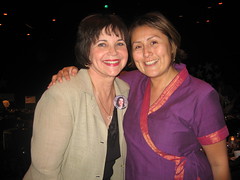
cindy

Kathleen’s comments

Dear Cindy,

I like your “author, harpist, and dreamer” catchphrase. Even though harpist and dreamer don’t necessarily have to do with writing, together they evoke an image of who you are . . . and that is a good thing.

Your overall site design, menu links, and graphics don’t necessarily portray your books, but they’re still nice. And since you’re probably not courting the attentions of children on the Internet, what you have is probably sufficient.

What I’d recommend working on, however, is your text colors and font choices. Right now you have many color changes and a number of font changes, and each one is harder and harder on the eyes. With very few exceptions, black, dark gray, or a color so dark it may as well be black are the color choices for text. Why? Because you want people to notice the pictures your words portray, not the actual letters themselves. To be perfectly honest, multi-colored text is generally considered a hallmark of an amateur website.

The good news is that it’s easy to fix! Change your text on the home page to a black or very, very dark gray (like #333333). Take out the color change code first, before you change all the rest. That way you’re not just adding one color change on top of another. If you have headings, you may choose a bright color for them . . . just use the same color for ALL headings throughout the site, and make sure it’s a color that is easy to read. Use your home page text to focus on your book.

On your books page, use a nice font and color for the titles of your books, if you wish, but use the same dark color and simple font for the rest of the text. Try to keep your text all left-justified as well.

On your news page, it would be okay to use different colors for different sections of news. I would limit it to only two alternating colors, though.

Do similar color simplification throughout the site, and you’ll have a much easier to read and more professional-looking site to enjoy!

God bless!

Kathleen MacIver, KatieDid Design

Jordan’s comments

Hi Cindy!

Let’s start off with some of the things you’re doing really well: you have your book prominently placed on your site with several options for purchasing. You’re obviously working hard to promote your book and further your career with many appearances. And your site is pretty ;) .

But of course, there are also a few things you could do to help your site work harder for you. On several pages of your site, I have a hard time understanding what I should be focusing on. I see so many different types of news that I can’t focus on any one thing.

Now, I realize some pages can be kind of a catch-all, but organization can help to guide your website visitors and show them what’s most important. Pretend you’re a first time visitor to your site (I know it’s hard) and look at your site. What do you want to see on the News/Books/Contact page? What is most helpful to you in learning about the book and the author? What might help move you toward buying Chase McKay (or your next book)?

Here’s an example. As a first time visitor, I come to your main page. On my desktop (as shown above), the full title of your book isn’t visible. (On my laptop, it cuts off in the middle of the next line.) If I’m interested enough to scroll down, I wonder what the Arizona Glyph Award is. I see a lot of information about appearances, conferences, a bunch of different options to buy. I see your Thundertail book mentioned as a novel, but without reading the full history of its development, I don’t know what level it’s geared to. Then some more awards, a mention of interviews with you, and a lot of blank space at the end of the page.

Now what do I do? Unless I came to your site with a specific mission, I don’t know. Help us know how to use your site, and what your site can do for us as visitors. (As another example, it would be good on the Contact page to start with the contact form rather than your mailing address—it’s highly likely that people will see just a mailing address and give up without scrolling to the end of the page to find an online way to contact you.)

Your search engine presence (searching for [Cindy R. Williams]) isn’t bad, especially considering you’re facing some pretty serious competition from this Cindy Williams. (She’s Cindy Williams, but Shirley of Laverne & Shirley has at least a little bit of info about her on the web.)

Actually, for [Cindy Williams], Yahoo has your site ranked at #7. (Bing and Google don’t have you in their top ten.) For [Cindy R. Williams], your site is #1 on all three major search engines. However, for some odd reason, Bing lists your Privacy Policy and Copyright pages only. Google lists your site and several mentions of you and your book from around the web. Most of Yahoo’s results are about you, but the actress does still get quite a bit of attention.

So what can you do there? Keep doing what you’re doing—get mentions of your book and your blog around the web, and get more links back to your website.

You’re clearly working hard to promote your books online and off. A few simple changes can help your website work even harder for you.

We hope that helps!

What do you think? What do you expect to see on an author’s home page? Books page? News page? What layouts on those pages help you process that information well?

Photo credit: Cindy Williams—Roberta Romero

Do you find this post helpful or inspiring?
Heck yes I do! 

Comments 3 Comments »

©2008-2012 Jordan McCollum, except indicated images. All rights reserved.